 GantisStorm
 Host MonitorMonitors CPU, memory, disk, network throughput, load, uptime, and user-owned processes across every machine enrolled in bb, with guarded controls to stop eligible processes.
 Mateo Cerquetella70
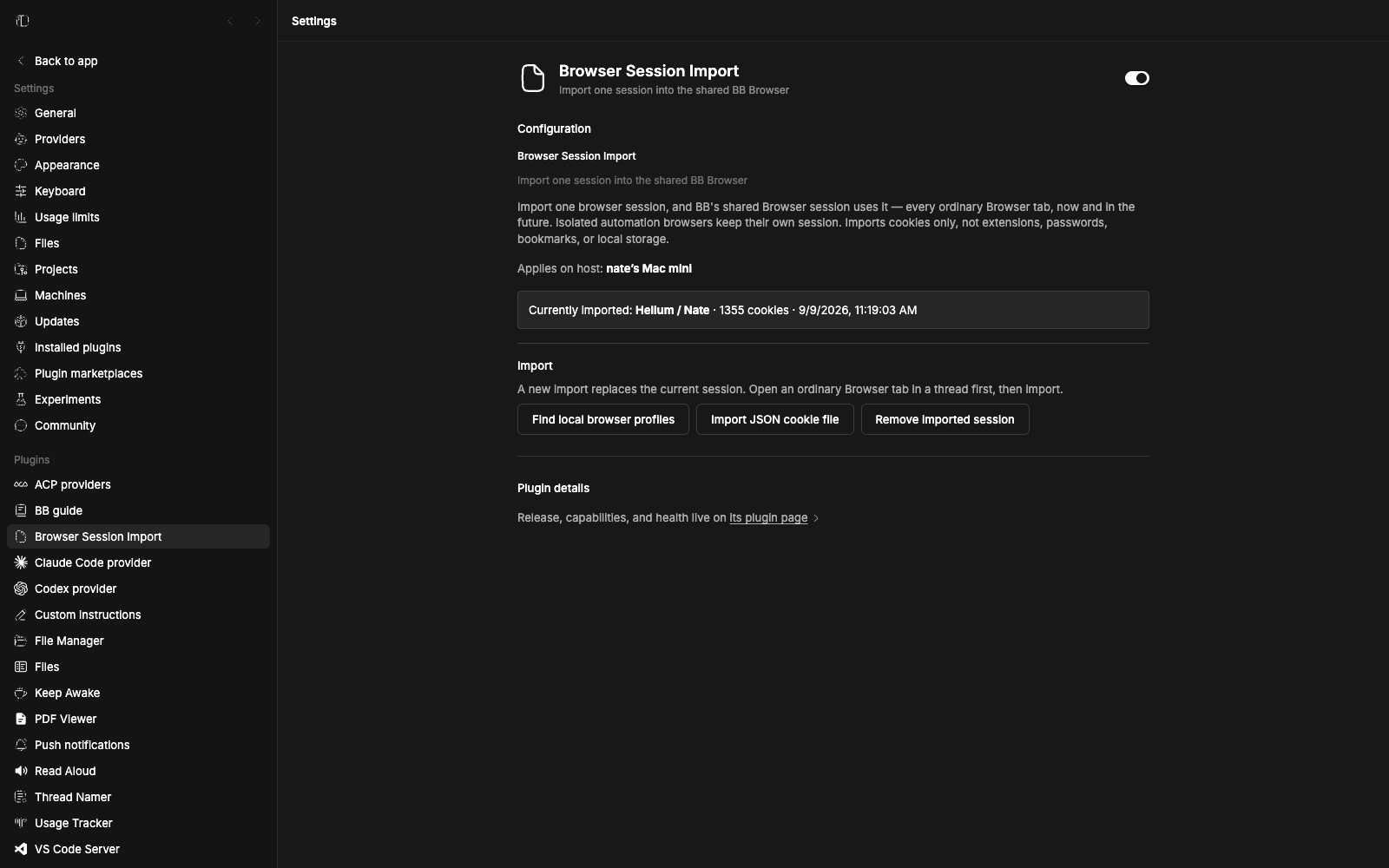
Signs every ordinary BB Browser tab into one imported cookie session. Import once from a local Chrome, Firefox, or other browser profile, or from a JSON cookie export, and the shared session carries those logins to existing and new tabs. Re-import any time to replace the session, and remove it with one button to clear the Browser. Cookies are read on this machine only; native profiles read on macOS and Linux, while JSON exports work anywhere the BB desktop runs.
Every ordinary BB Browser tab — the ones you open from threads and windows — stays signed in to one session you imported once. Log in to the sites you work with in one go, and they are already authenticated when BB opens a browser anywhere else.
The controls live entirely in Settings → Browser Session Import. The plugin adds no side panel, no thread-header buttons, and no browser chrome.
Only cookies are copied — not extensions, passwords, bookmarks, local storage, or IndexedDB. Cookie values are read and written on the machine running the Browser and never leave it through this plugin. Each import takes a short exclusive hold on one shared tab, refuses to interrupt automation that is already controlling it, and restores the previous cookies if a write fails partway.
Inspect or control the computers bb runs on.
Host MonitorMonitors CPU, memory, disk, network throughput, load, uptime, and user-owned processes across every machine enrolled in bb, with guarded controls to stop eligible processes.Mateo Cerquetella70 Disk UsageShows what's taking up disk space on the bb server host, ncdu-style, with drill-down by directory and a bb disk-usage CLI.
 Nicolas Charpentier41
 Server StatusTracks host RAM usage as a ring around a sidebar footer button — amber from 80%, red above 90% — and opens a panel with CPU, memory, swap, disk, load average, uptime, and OS and kernel version.
 Foma30